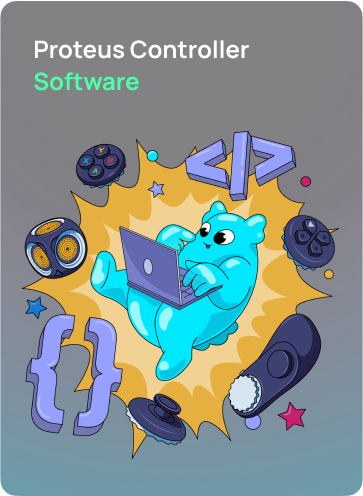
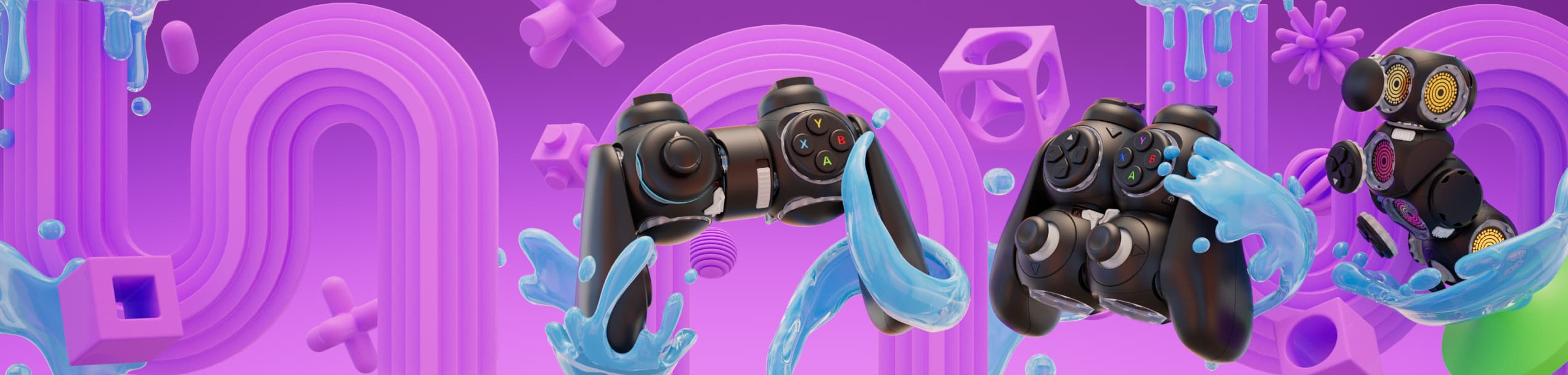


Byowave Proteus Controller: The Most Customizable Adaptive Controller?

There's a moment when you first open the Proteus Controller box and lay out all the modular pieces that something clicks — not just the physical modules snapping together, but the realization that someone finally built a controller around the player, not the other way around. For the disabled gaming community, that feeling is genuinely rare.
A Controller Born From a Real Gap
The Proteus isn't trying to compete with the Xbox Elite Series 2 for tournament players. It exists for a completely different reason: to give gamers with physical disabilities — one-handed players, people managing tendonitis, those with limited mobility — a serious, configurable tool that mainstream manufacturers simply don't build.
Jaye (RevJaye) went seven years without a functional one-handed controller after his previous one died. Seven years. He's now logging 10 to 12 hour FPS sessions with the Proteus. His verdict was three words: "When I say it works, I mean it." Another user, Lee, configured the controller entirely for one-handed video pinball — mapping flippers, plunger, and nudge all to a single hand. These aren't edge cases. They're the whole point.

What Makes It Special: The Modular System
The core innovation is the snap-together modular design. Buttons, joysticks, and other inputs connect physically through a locking mechanism, letting you rearrange the controller's layout on the fly. Want to use a joystick as a stable base while operating everything else with one hand? You can. Want to reconfigure mid-session for a different genre? That's the idea.
One user spent their entire first night just experimenting with different configurations — never even played a game — and called it "the best controller I've ever used because it can be anything I want it to be." That says a lot. The concept is so compelling that the exploration itself becomes the entertainment.
The newer models (Proteus Controller Kit and Proteus Builder) add some genuinely useful upgrades: macro support for mapping complex inputs to a single button, improved mechanical connections for better responsiveness, and HID/GIP mode switching so you can toggle instantly between keyboard and gamepad behavior. These aren't gimmicks — for adaptive gamers, macros in particular can be the difference between a genre being accessible or not.
Real Concerns From Real Users
The honest review here requires taking the early adopter feedback seriously. One r/xbox user, who bought the Proteus to manage tendonitis and carpal tunnel, returned it after a few days — and their critique is worth reading carefully.
The modular attachments, while clever, sometimes blocked the exact configuration they wanted. The male connector points physically prevented certain arrangements, leading to a "close but not quite" frustration. They also flagged the plastic construction as a durability concern — specifically the joysticks — noting that even "premium" controllers like the Elite only last around 18 months under heavy use, and the Proteus materials gave them little confidence it would fare better.

There's also the locking mechanism concern: some modules, when attached, had a small amount of play — a slight wobble despite being locked — which understandably raised questions about long-term wear. To be fair, the newer kits address connection stability with improved hardware and firmware. But it's something to monitor.
One legitimate wish from the community: a wireless split option, so the two halves could be used without being physically connected (similar to Joy-Con style play). Right now, everything must be physically joined, which limits some ergonomic configurations for two-handed users with specific needs.
Which Version Should You Buy?
ByoWave now offers two main options:
- Proteus Builder (~$120) — Comes pre-assembled for one-handed play. Best for simpler games (platformers), pairing with a mouse, or as a keyboard replacement. Lower barrier to entry.
- Proteus Controller Kit — The full DIY modular experience. More pieces, more configurations, higher ceiling. Best for people who want to deeply customize their setup and are comfortable tinkering.
Important buyer tip: the elaborate, impressive configurations you see in community photos often use additional modules sold separately. The base kit won't arrive looking like those showcase setups. Budget accordingly if you want the full modular ecosystem.
Both are available on Amazon and directly from byowave.com. The Discord community is active and worth joining — real users share config ideas and help troubleshoot setups there.
Who This Is Actually For
If you're a one-handed gamer who's been making do with duct-tape solutions for years, or someone dealing with RSI/tendonitis who's exhausted mainstream options, the Proteus represents something that simply didn't exist before at this level of intentional design. The core concept works. Real people are using it for all-day sessions across demanding genres.
If you're a two-handed gamer looking for ergonomic relief without disability-specific needs, the calculus is harder. The plastic construction, the connector limitations, and the current lack of wireless split functionality might leave you frustrated at the price point. The Elite 2 or even Joy-Cons might serve your specific ergonomic needs better.

For its intended audience, though, the Proteus earns its rating — and then some. The question isn't whether it's perfect. It isn't. The question is whether it's the best option available for adaptive gamers who need real configurability. Right now, the answer is almost certainly yes.
Frequently Asked Questions
Q: Is the Byowave Proteus Controller good for one-handed gamers?
A: Yes — this is arguably its strongest use case. Multiple long-term users report successful one-handed configurations for FPS games, platformers, and even video pinball. One user has been logging 10-12 hour sessions for nearly a year.
Q: What's the difference between the Proteus Builder and the Proteus Controller Kit?
A: The Builder comes pre-assembled at a lower price point (~$120) and is designed for simpler games or pairing with a mouse. The Controller Kit is a full DIY modular system with more configuration options and a higher ceiling for customization.
Q: Do I need to buy extra modules separately?
A: The impressive multi-module configurations shown in community photos often use add-ons not included in the standard box. If you want those setups, plan to purchase additional modules beyond the base kit.
Q: How durable is the Proteus Controller?
A: Durability concerns have been raised — particularly around the plastic joystick components and the locking mechanism showing minor wobble under heavy use. Newer models (Controller Kit upgraded version) include improved mechanical connections, but long-term wear data is still limited. Heavy gamers should keep this in mind.
Q: Does the Proteus Controller work with Xbox and PC?
A: Yes. It supports Xbox Series X/S, PC, and Steam Deck. The newer models also include HID/GIP mode switching, letting you toggle between keyboard and gamepad input modes.
Posted on March 11, 2026